
I want to talk about the most useless meeting in the modern startup.
It happens once a month. The CFO, the CTO, and the Lead DevOps Engineer sit in a conference room. On the screen is a graph from the AWS Billing Dashboard or a third-party FinOps tool like Vantage or CloudZero.
The graph has a big red spike that happened three weeks ago.
- CFO: “What is this $4,000 spike on the 12th?”
- DevOps Lead: “Oh, that. Yeah, the data science team spun up a `p3.8xlarge` cluster to test a new model and forgot to turn it off for the weekend.”
- CFO: “Can we get that money back?”
- DevOps Lead: “No. We used the compute. Amazon charged us.”
- CTO: “Okay, let’s make sure we tag resources better next time.”
Meeting adjourned. Value created: Zero.
This is the failure of modern FinOps. We treat cost like an accounting problem—something to be reported, analyzed, and categorized after the fact.
But cloud spend isn’t an accounting problem. It is an engineering problem.
If a developer pushes code that contains a syntax error, the compiler blocks it. If they push code that fails unit tests, the CI/CD pipeline blocks it. But if they push code that spins up a $5,000/month Load Balancer configuration?
The pipeline glows green. The deploy succeeds. And the bill arrives 30 days later.
It is time to stop reporting on the fire and start installing sprinklers. It is time for the Cost Gate Manifesto.
Part 1: The Shift from “Reporting” to “Prevention”
The FinOps industry is shifting. The old model was “Visibility.” The new model is “Prevention.”
The logic is simple: Once a resource is provisioned, the money is gone. The only way to save money is to stop the resource from being provisioned in the first place if it violates policy.
We need a “Cost Linter.”
Just as `ESLint` checks your JavaScript for bad patterns, a Cost Gate checks your Terraform/Helm charts for financial risks.
The “Silent Killers” of the Cloud Bill
What exactly are we trying to block? It usually isn’t the big EC2 instances (those are obvious). It’s the silent infrastructure:
1. NAT Gateways: A developer creates a private subnet and thinks, “I need internet access.” They add a NAT Gateway. Bam. $0.045/hour + $0.045/GB data processing. If that subnet does a backup to S3, you could be looking at a $1,000 bill for a “simple network change.”
2. Load Balancers (ALBs): Every microservice doesn’t need its own ALB. But if you use the default EKS settings, every `Service` of type `LoadBalancer` spins up a new ALB. Cost: $16/mo minimum + data fees. 50 microservices = $800/mo in idle balancers.
3. IOPS Provisioning: A developer switches an EBS volume from `gp3` to `io2` because “faster is better,” not realizing they just provisioned 10,000 IOPS at a cost of hundreds of dollars.
These aren’t malicious acts. They are defaults. And defaults are expensive.
Part 2: Implementing the Cost Gate (The “Budget Compiler”)
How do we actually build this? We insert a check in the CI/CD pipeline (GitLab CI, GitHub Actions) that runs before the `terraform apply` or `helm install`.
We use tools like Infracost or Open Policy Agent (OPA).
The Workflow
1. Pull Request: Developer modifies `main.tf` to add a NAT Gateway.
2. CI Job (The Cost Gate):
- Runs `infracost breakdown –path .`
- Calculates the diff in monthly cost.
- Logic: `If cost_increase > $50 AND unapproved, FAIL PIPELINE.`
3. Feedback: The PR gets a comment:
> ⚠️ Cost Alert: This change increases monthly spend by $850.00 (NAT Gateway).
> ❌ Blocked: Spend exceeds auto-approval limit of $50. Please get approval from @manager.
The Code
Here is what a GitHub Action for this looks like:
name: Cost Gate
on: [pull_request]
jobs:
  infracost:
    runs-on: ubuntu-latest
    steps:
      - uses: actions/checkout@v2
      - name: Run Infracost
        run: |
          infracost breakdown --path . \
            --format json \
            --out-file infracost.json
      - name: Check Budget
        run: |
          COST_DIFF=$(jq .diff.totalMonthlyCost infracost.json)
          if [ $(echo "$COST_DIFF > 50" | bc) -eq 1 ]; then
            echo "❌ Cost increase of \$$COST_DIFF exceeds limit."
            exit 1
          fi
This script stops the bleeding. It forces the conversation (“Do we really need a NAT Gateway?”) to happen before the credit card is charged.
Part 3: The Ultimate Cost Gate (Fixed-Price Infrastructure)
Software gates are great. But they are still soft. A manager can override them. A developer can ignore the warning if they have admin rights.
The only true Cost Gate—the one that is physically impossible to bypass—is Fixed-Price Infrastructure.
This is the “Hardware Gate.”
The AWS Trap vs. The Bare Metal Guarantee
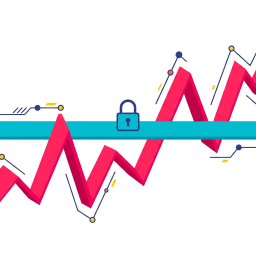
On AWS, the upper bound of your bill is effectively infinite. If you mess up a Lambda loop, you can owe Jeff Bezos $100,000 by morning. The platform is designed to be “Elastic,” which is a fancy word for “Uncapped.”
On Bare Metal (like Hetzner), the upper bound is The Server Price.
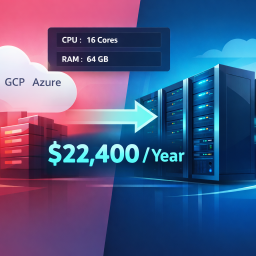
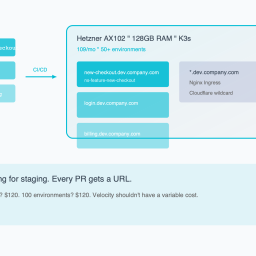
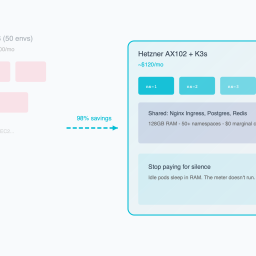
If you rent an AX102 for $120/month, that is the maximum amount of money you can spend on compute.
- Developer deploys a crypto miner? The server hits 100% CPU. The app slows down. Cost: $120.
- Developer creates a memory leak? The OOM Killer terminates the pod. Cost: $120.
- Developer tries to spin up 50 Load Balancers? They fail because the server only has one public IP. Cost: $120.
The hardware itself enforces the budget.
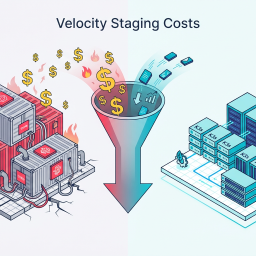
Why This Matters for Velocity
Paradoxically, having a “Hardware Gate” allows you to move faster.
When you are on AWS, you have to be terrified of every deploy. You need approval chains. You need strict IAM policies. You need FinOps meetings.
When you are on Bare Metal, you can give your developers `cluster-admin` access.
“Here is the server. It has 128GB of RAM. Do whatever you want. If you break it, re-image it. You cannot bankrupt the company.”
This removes the fear. And when you remove the fear, you unlock velocity.
Part 4: The “Hybrid Gate” Strategy
I am realistic. You are probably not going to move your production database off RDS tomorrow.
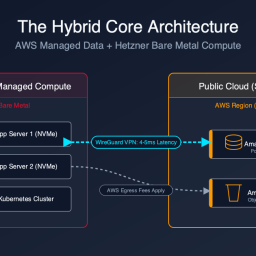
But you should move your pre-production environments behind the Hardware Gate.
The Strategy:
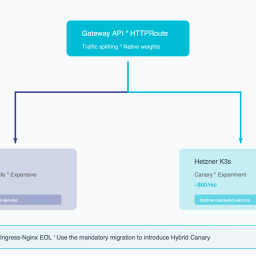
1. Production: Stays on AWS (for now). Subject to strict “Software Cost Gates” (Infracost/OPA).
2. Dev/Staging/CI: Moves to a fixed-size Bare Metal cluster.
The Benefit:
Your non-production environments are usually the source of the most “accidental” spend (orphaned resources, over-sized instances). By moving them to a fixed-cost box, you cap that risk at $100/month.
If the dev team runs out of RAM on the Hetzner box, they have two choices:
1. Optimize their code (Good!).
2. Ask for a second server (A clear, discrete budget decision).
They cannot just “turn up the dial” and hide the cost in the cloud bill.
Conclusion: Engineering Accountability
The era of “Cloud Blank Checks” is over.
In 2021, money was free, and optimization was expensive.
In 2026, money is expensive, and waste is unacceptable.
You have two paths to solve this:
1. The Hard Path: Hire a FinOps analyst, build complex dashboards, nag your engineers every month, and constantly fight the entropy of the cloud billing model.
2. The Smart Path: Implement “Cost Gates” in your CI/CD to block bad deploys, and move your chaotic workloads to fixed-price infrastructure where the budget is baked into the metal.
Don’t let your deployment pipeline be a firehose of cash. Put a valve on it.
*Want to implement the “Software Cost Gate” today? We have a GitHub Action template pre-configured with Infracost and OPA policies for common “Budget Busters” (NAT Gateways, ALBs, IOPS). Copy-paste it into your repo here.*
Ready to see your savings? Our Cloud Exit Calculator compares AWS vs Hetzner in 30 seconds. Or get an Infrastructure Audit ($495) for a migration blueprint.
Reclaim your proprietary data. Deploy Private AI.
Stop sending your proprietary IP to external APIs and managed SaaS. We deploy high-throughput inference and stateful agents directly onto your own Bare-Metal or VPC infrastructure. Execute AI workloads with zero API taxes, zero hyperscaler lock-in, and absolute control over your data.