
25-30% of your AWS bill goes to idle dev environments—staging databases, feature-branch servers, and “temporary” Redis clusters that haven’t seen a request in weeks. Everyone talks about auto-scaling. Nobody talks about auto-deleting. This guide shows you the Zombie Infrastructure Audit: how to find the waste, why auto-scaling fails here, and the architectural shift—K3s on Hetzner bare metal—that lets you run 100 environments for the price of one server.
Part 1: The Mathematics of Silence
On AWS (or GCP/Azure), you pay for provisioned capacity, not utilized capacity. A single developer environment with app server, database, cache, and load balancer costs roughly:
| Component | AWS Cost/mo |
|---|---|
| App Server (t3.medium) | ~$30.37 |
| Database (db.t3.medium RDS) | ~$58.40 |
| Cache (ElastiCache Redis) | ~$11.68 |
| Load Balancer (ALB) | ~$16.00 |
| Storage (20GB EBS) | ~$1.60 |
| NAT Gateway (share) | ~$30.00 |
| Total per idle env | ~$148.05/mo |
| 50 environments | $7,402.50/mo (~$90k/year) |
Scale to 50 environments (20 devs × 2 branches + staging): $7,402/month—nearly $90,000/year for the capability to test code. Most of that runs at 0% CPU for 16 hours a day.
The “Free Credits” Trap
Startups walk into this while high on AWS Activate credits. When credits expire, that “free” culture costs $7,500/mo in hard cash. Habits form faster than credits burn.
Part 2: Why Auto-Scaling Fails Here
You can’t scale RDS to zero. EBS volumes cost money when EC2 is stopped. ALBs don’t scale to zero. Cold-start latency makes developers abandon the workflow. Cloud providers monetize your fear of latency.
Part 3: The Janitor Trend vs. The Architecture Shift
Janitor agents (CloudCustodian, AI FinOps) delete idle resources—but that’s a band-aid. The disease is Resource-Based Pricing. The cure is Node-Based Pricing.
The Gym Membership Model: A gym charges $50/mo for access, not $5 per dumbbell lift. They oversubscribe—1,000 memberships for 100 spots. We stop buying individual AWS instances and buy the gym (bare metal server).
Part 4: K3s on Hetzner Bare Metal
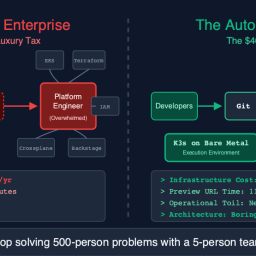
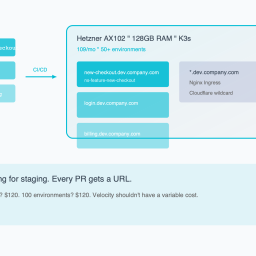
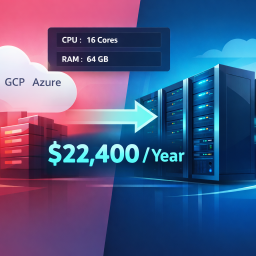
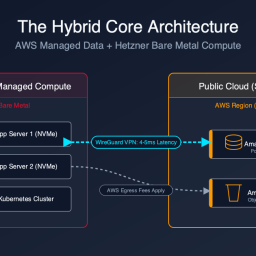
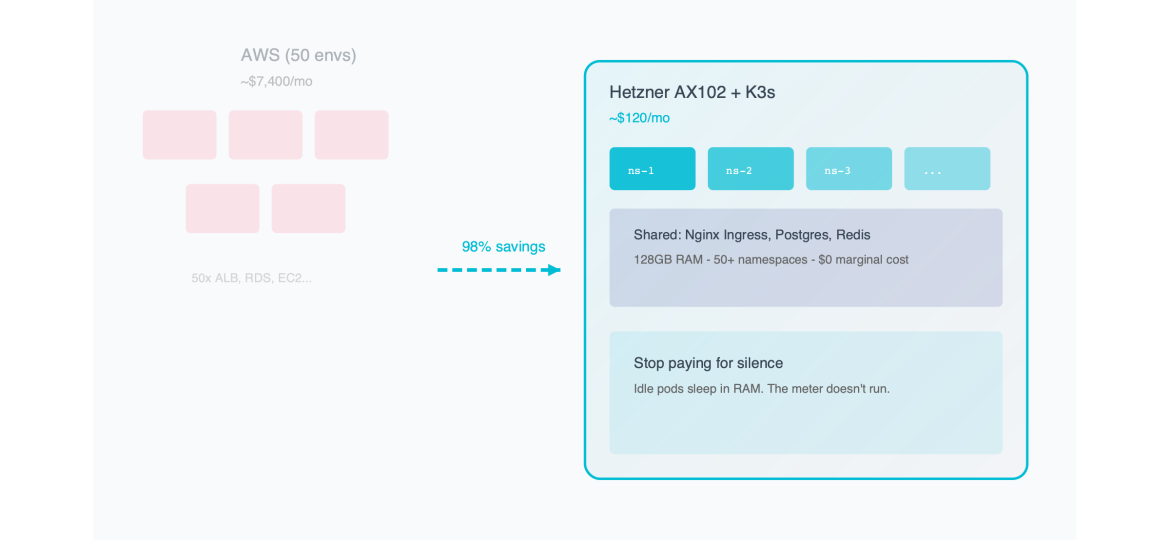
The solution isn’t better scripts. It’s K3s on Hetzner Bare Metal. A single AX102 (~$120/mo): 16 cores, 128GB RAM, 2×3.84TB NVMe. Deploy 50 dev environments as Kubernetes namespaces—shared kernel, shared ingress ($0 vs 50 ALBs), shared Postgres. Idle apps sit in RAM; marginal cost is zero.
| Approach | 50 Dev Envs Cost |
|---|---|
| AWS (RDS, ALB, EC2 per env) | $7,402/mo |
| K3s on Hetzner AX102 (1 server) | $120/mo — 98% reduction |
That’s a 98% cost reduction. You’re not optimizing the bill—you’re deleting it.
Part 5: The Zombie Infrastructure Audit Guide
Phase 1: The Audit
- Filter EC2/RDS by tags: Environment=Dev, Staging, Review
- Check CloudWatch: CPUUtilization, NetworkIn/Out over 14 days
- Zombie definition: Max CPU < 5%, Network I/O < 1MB/day
- Sum annualized cost of matching resources (don’t forget EBS and Elastic IPs)
Phase 2: The Platform Build
- Provision Hetzner AX102
- Install K3s:
curl -sfL https://get.k3s.io | sh - - Install Cert-Manager (Let’s Encrypt)
- Install Nginx Ingress Controller
Phase 3: Namespace Strategy
Git push → CI builds image → Helm deploys to namespace ns-feature-xyz → Ingress creates xyz.dev.company.com. Developer has live HTTPS URL in ~45 seconds. Cost: zero marginal dollars.
Part 6: Handling the Risk Objection
Use Kubernetes ResourceQuota per namespace. A memory leak hits the limit → pod gets OOMKilled → other 49 developers unaffected. Blast radius contained.
apiVersion: v1
kind: ResourceQuota
metadata:
  name: compute-resources
  namespace: ns-feature-new-login
spec:
  hard:
    requests.cpu: "0.5"
    requests.memory: 1Gi
    limits.cpu: "1"
    limits.memory: 2Gi
Conclusion: Velocity is Free
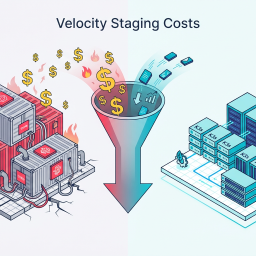
Solving zombie infrastructure doesn’t just save money—it increases velocity. Remove cost gates. Spin up 50 preview apps. Test migrations in isolation. Keep a branch alive for 3 months. Stop paying for silence. Start paying for performance.
Ready to audit? Our Cloud Exit Calculator compares AWS vs Hetzner in 30 seconds. Or get an Infrastructure Audit ($495) for a savings projection and migration blueprint.
Reclaim your proprietary data. Deploy Private AI.
Stop sending your proprietary IP to external APIs and managed SaaS. We deploy high-throughput inference and stateful agents directly onto your own Bare-Metal or VPC infrastructure. Execute AI workloads with zero API taxes, zero hyperscaler lock-in, and absolute control over your data.