
If there is one feature that separates “Elite” DevOps teams from “Average” ones, it isn’t Kubernetes. It isn’t service mesh. It isn’t even AI coding assistants.
It is the Ephemeral Environment.
Also known as “Preview Apps” (thanks, Vercel) or “Review Apps” (thanks, GitLab), the concept is simple:
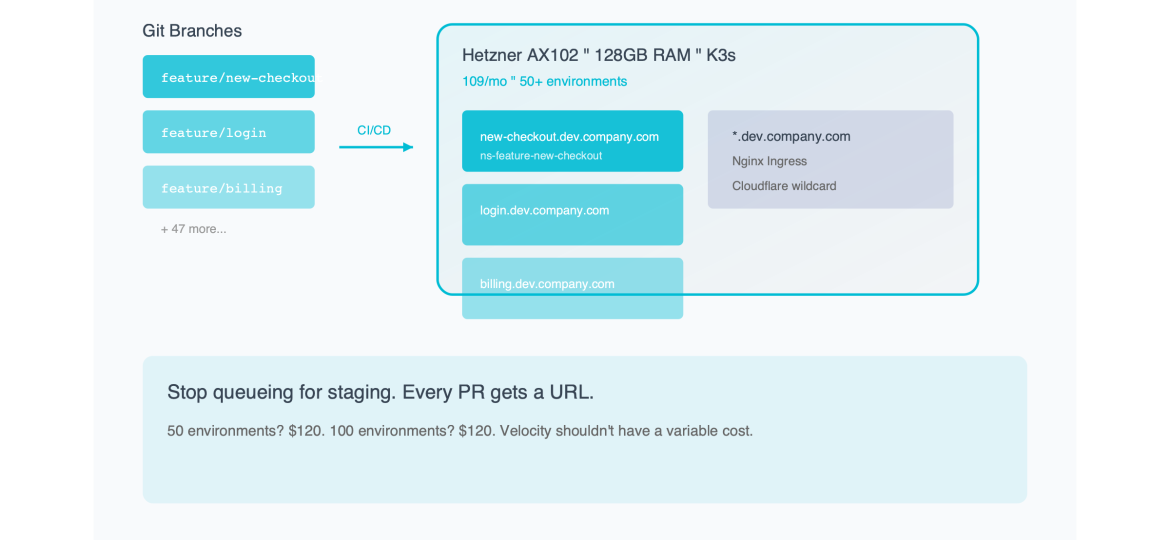
Every Git branch gets a unique, live URL.
- Developer pushes to `feature/new-checkout-flow`.
- Bot comments: `Your preview is ready: https://new-checkout-flow.dev.mycompany.com`
- Product Manager clicks link. Tests flow. Approves.
- Branch merges. URL disappears.
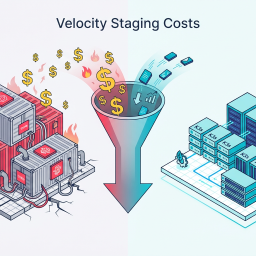
This workflow destroys the “Staging Bottleneck”—that terrible Friday afternoon when five developers are fighting over who gets to deploy their branch to the single `staging.mycompany.com` server to test it.
So why doesn’t everyone do it?
Because on AWS, it costs a fortune.
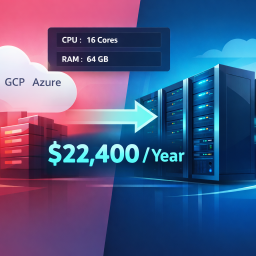
If you use standard cloud primitives (ALBs, RDS, ECS Fargate), a single ephemeral environment can cost $50/month. If you have 20 developers, each with 2 active branches, that’s 40 environments. $2,000/month just for temporary testing.
Today, I’m going to show you how to build an “Infinite URL” machine using Bare Metal K3s that brings the cost of a preview app down to $0.08 per day.
Part 1: The Economics of “Temporary”
To understand the solution, we have to look at why the cloud is so bad at this specific use case.
Cloud pricing models (AWS/GCP) are designed for Performance and Isolation.
- They assume you want dedicated CPU cycles.
- They assume you want High Availability (HA) RDS instances.
- They assume you want a dedicated Load Balancer IP.
But for a Preview App, you want none of those things.
- Performance: You don’t care if the CPU is shared. The app will be used by exactly one person (the PM or QA tester).
- Availability: You don’t care if it goes down for 5 minutes. It’s a test branch.
- Isolation: You don’t care if it shares a kernel with other test branches.
The Cloud Mismatch:
When you provision an AWS ALB ($16/mo) for a branch that will live for 2 days, you are buying a Ferrari to drive to the mailbox.
The Bare Metal Advantage:
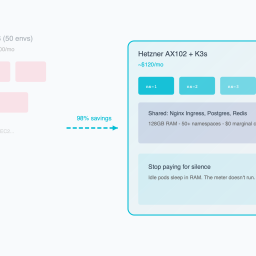
On a Hetzner AX102 (128GB RAM for ~$120/mo), you pay for the capacity, not the *instance count*.
This means that idle apps are free.
If you deploy 50 apps, and 49 of them are sitting idle (which they will be, because the PM is only testing one at a time), they consume almost zero CPU. They just occupy RAM. And RAM is cheap.
Part 2: The Architecture of the “Infinite URL” Machine
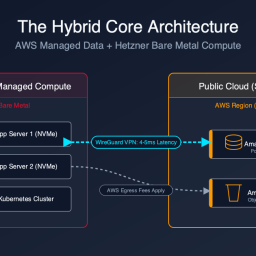
How do we build this? We need a stack that creates resources dynamically based on Git events.
The Stack:
1. Compute: 1x Hetzner AX102 (Bare Metal).
2. Orchestrator: K3s (Lightweight Kubernetes).
3. Ingress: Nginx Ingress Controller (Wildcard DNS).
4. Database: A single Postgres Operator (CloudNativePG) creating ephemeral databases.
5. DNS: Cloudflare (Wildcard A Record).
Step 1: Wildcard DNS
You point `*.dev.mycompany.com` to the IP address of your Hetzner server.
This is crucial. It means you don’t need to update DNS records for every new branch. The traffic just arrives at the server, and Nginx figures out where to send it.
Step 2: The “Namespace per Branch” Strategy
When a new branch is pushed, your CI pipeline runs `helm install`.
This creates a Kubernetes Namespace named after the branch (e.g., `ns-feature-login`).
Inside that namespace, we deploy:
- The App Pod.
- The Redis Pod (optional).
- A `SealedSecret` with environment variables.
Step 3: The Database Trick
This is the hardest part. You can’t spin up a new RDS instance for every branch (too slow, too expensive).
Instead, we use a Postgres Operator running in the cluster.
When the branch deploys, it requests a new *Logical Database* inside the shared Postgres cluster.
- Time to provision: 2 seconds.
- Cost: $0.
The operator creates a user `user_feature_login` and a DB `db_feature_login`. It injects the credentials into the App Pod.
To the application, it looks like a dedicated database. In reality, it’s just a schema on a shared server.
Part 3: The “Review App” Pipeline (GitLab CI Example)
Here is the `.gitlab-ci.yml` magic that makes this happen automatically.
deploy_preview:
  stage: deploy
  script:
    - export SAFE_BRANCH_NAME=$(echo $CI_COMMIT_REF_SLUG | cut -c 1-63)
    - export URL="https://$SAFE_BRANCH_NAME.dev.mycompany.com"
    - helm upgrade --install myapp-$SAFE_BRANCH_NAME ./chart
      --namespace ns-$SAFE_BRANCH_NAME
      --create-namespace
      --set ingress.host=$SAFE_BRANCH_NAME.dev.mycompany.com
  environment:
    name: review/$CI_COMMIT_REF_NAME
    url: https://$SAFE_BRANCH_NAME.dev.mycompany.com
    on_stop: stop_preview
  only:
    - branches
  except:
    - main

stop_preview:
  stage: deploy
  script:
    - export SAFE_BRANCH_NAME=$(echo $CI_COMMIT_REF_SLUG | cut -c 1-63)
    - helm uninstall myapp-$SAFE_BRANCH_NAME --namespace ns-$SAFE_BRANCH_NAME
    - kubectl delete namespace ns-$SAFE_BRANCH_NAME
  when: manual
  environment:
    name: review/$CI_COMMIT_REF_NAME
    action: stop
What this does:
1. Deploy: Whenever you push code, it deploys a new Helm release into a new namespace.
2. Environment: It tells GitLab “This is a Review App,” so GitLab puts a nice “View App” button in the Merge Request UI.
3. Cleanup: When the branch is merged or deleted, the `stop_preview` job runs and deletes the namespace, freeing up the RAM.
Part 4: Managing the “Resources” (The 128GB Playground)
The beauty of the AX102 server is the sheer amount of headroom.
- RAM: 128 GB.
- Average Preview App RAM: ~500MB (App + DB connection overhead).
- Math: 128,000 / 500 = 256 concurrent environments.
You can literally give every developer on a 50-person team five simultaneous environments, and you still wouldn’t fill the RAM.
But what about CPU?
“Won’t 200 apps crash the CPU?”
No. Because Preview Apps are idle 99% of the time.
They only use CPU when someone clicks a link. Unless your Product Manager clicks 200 links simultaneously, the CPU load will hover around 5-10%.
This is the concept of Oversubscription that cloud providers use to make money. We are just taking that profit margin back for ourselves.
Part 5: The Cultural Impact (Velocity)
I cannot overstate how much this changes the culture of an engineering team.
Before (The Staging Queue):
- “Can I merge?”
- “No, hold on, I’m testing the billing migration on Staging. Don’t touch it.”
- “Okay, I’ll wait.” (Developer switches context, loses flow).
After (The Infinite URL):
- “Can I merge?”
- “I checked your Preview Link. The UI looks off on mobile. I took a screenshot. Fix it.”
- “Okay, pushing fix.” (New preview deploys in 45s).
- “Looks good. Merge.”
“Works on my machine” is dead. If it works on the Preview URL, it works on Linux. It works on Kubernetes. It works with a real database.
The confidence level of your deployments skyrockets. The “Friday Fear” disappears.
Conclusion: Stop renting seats, buy the stadium.
Vercel and Netlify have built billion-dollar businesses on the convenience of Preview Apps. They charge you $20/seat/month plus bandwidth plus build minutes.
AWS charges you per-minute for every container you spin up.
Both models punish you for having more environments.
The Bare Metal model (Standardizing on Ephemeral Environments) flips the script. You pay a fixed cost ($120/mo) for a massive stadium (the server).
Once you own the stadium, it doesn’t cost you extra to let people sit in the seats.
- 50 environments? $120.
- 100 environments? $120.
- 200 environments? $120.
Velocity shouldn’t have a variable cost. Make it standard. Make it free.
*Want the Helm charts and GitLab CI templates for this “Infinite URL” setup? We’ve packaged them into a “Preview App Starter Kit” optimized for Hetzner K3s clusters. Download it here.*
Ready to see your savings? Our Cloud Exit Calculator compares AWS vs Hetzner in 30 seconds. Or get an Infrastructure Audit ($495) for a migration blueprint.
Reclaim your proprietary data. Deploy Private AI.
Stop sending your proprietary IP to external APIs and managed SaaS. We deploy high-throughput inference and stateful agents directly onto your own Bare-Metal or VPC infrastructure. Execute AI workloads with zero API taxes, zero hyperscaler lock-in, and absolute control over your data.